Attack Shark R1 vs AJAZZ AJ179 Pro Wireless Mouse for Budget Desks
This guide may earn a commission when readers buy through affiliate links.
Quick verdict
If you want the simpler value answer, the Attack Shark R1 is the easier pick.
If the charging dock and stronger spec sheet will actually get used, the AJAZZ AJ179 Pro earns the extra attention.
Skip both if your real target is a silent travel mouse or a flatter office-only shape.

Affordable wireless mice usually get sold on specs first and desk reality second. That is backwards. Most regret comes from the parts that stay on the desk after the spec sheet excitement fades.
Last checked: April 11, 2026. Visible ratings, visible sold counts, dock and sensor claims, and listing image quality were reviewed on that date.
| Attack Shark R1 | AJAZZ AJ179 Pro | |
|---|---|---|
| Best for | Lower-cost mixed use | Desk feel with a dock |
| Why shortlist | Stronger value discipline | Bigger sales proof and nicer charging story |
| Main benefit | Does enough without extra desk clutter | Feels more complete day to day |
| Main drawback | Still gamer-leaning | Dock only helps if the desk has room |
| Store | Stone's Store | Stone's Store |
| Rating | 98.0% | 98.0% |
| Sold | 3,002+ visible sales | 9,924+ visible sales |
| Verdict | Best low-drama value pick | Best if the dock and spec ceiling matter |
Attack Shark R1 — Buy this if
Mixed work-and-play desks that want a capable wireless mouse without paying extra for features that may never matter.
AJAZZ AJ179 Pro — Buy this if
Buyers who use the mouse all day, care about desk neatness, and would actually appreciate the charging dock instead of treating it like free clutter.
Skip both if
You mainly want silent clicks, a flat travel shape, or a clean office mouse that hides its gaming DNA.
If this mouse is part of a broader desk reset, the 75% keyboard comparison is a practical next read.
- Check whether your desk has room for a charging dock before paying for one.
- Check whether you care about sensor tier in real use or only in listings and reviews.
- Treat rating, sold count, and store signals as checked-date clues, not permanent promises.
Attack Shark R1
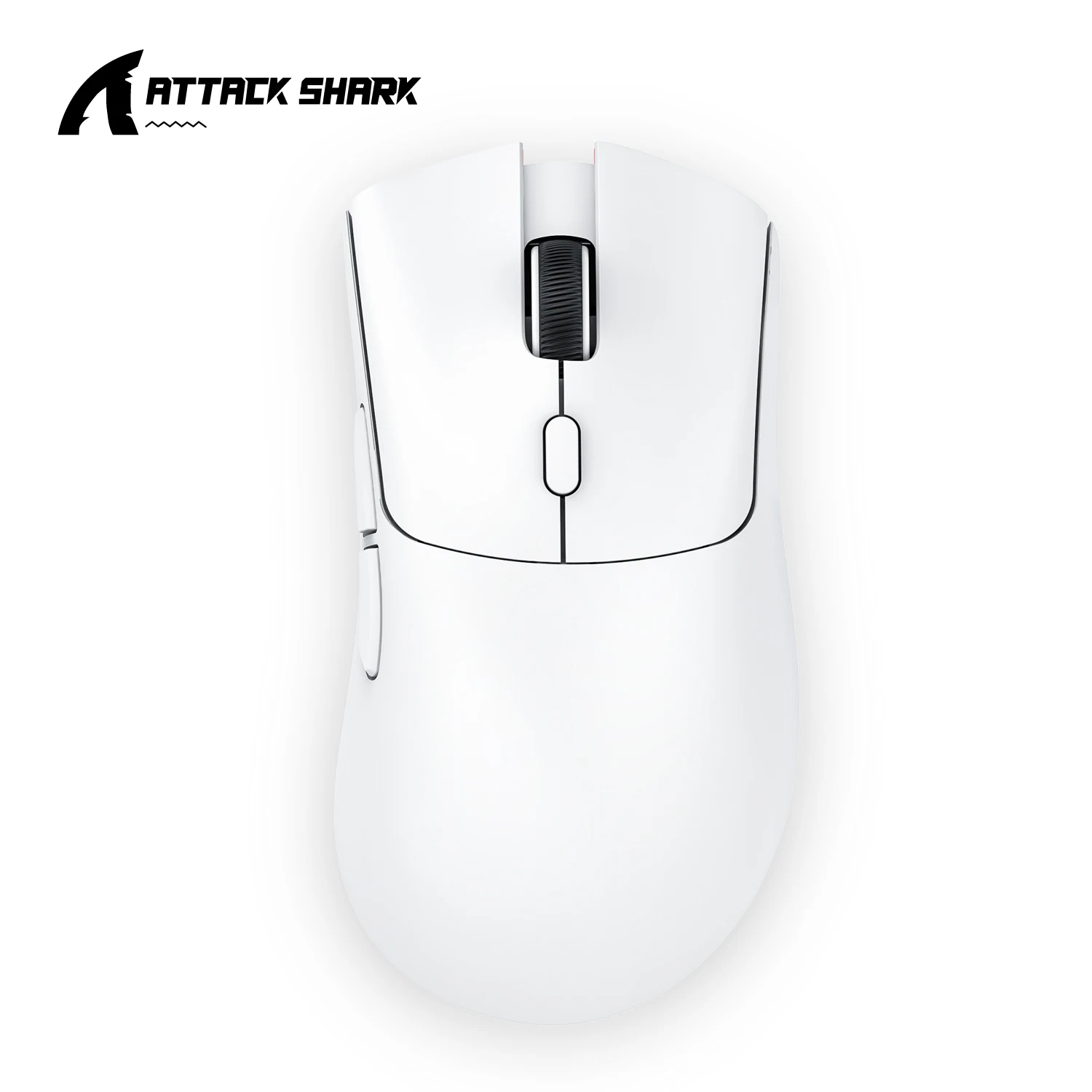
This listing still shows a 98.0% rating and 3,000+ visible sales on the checked date. The simpler pitch is part of the appeal: tri-mode wireless, sensible gaming upside, and fewer extras to justify later.
Best for
Mixed work-and-play desks that want a capable wireless mouse without paying extra for features that may never matter.
Main benefit
It looks like the cleaner value call when you want one mouse to cover office hours and casual games without turning the whole purchase into a mini spec project.
Downside
It is still a budget gamer mouse, not a quiet office specialist. If you want a flatter, subtler desk tool, the R1 keeps reminding you what category it came from.
What to double-check before ordering
Check whether you care more about keeping spend down or about nicer charging and higher-tier sensor bragging rights. The R1 wins when the answer is still spend.
Pros
- Stronger value case for everyday use
- 98.0% rating with 3,000+ visible sales
- Tri-mode wireless without the higher ask
Cons
- Less premium-feeling spec story
- Styling is still gamer-leaning
- Not the obvious pick for silent office setups
AJAZZ AJ179 Pro

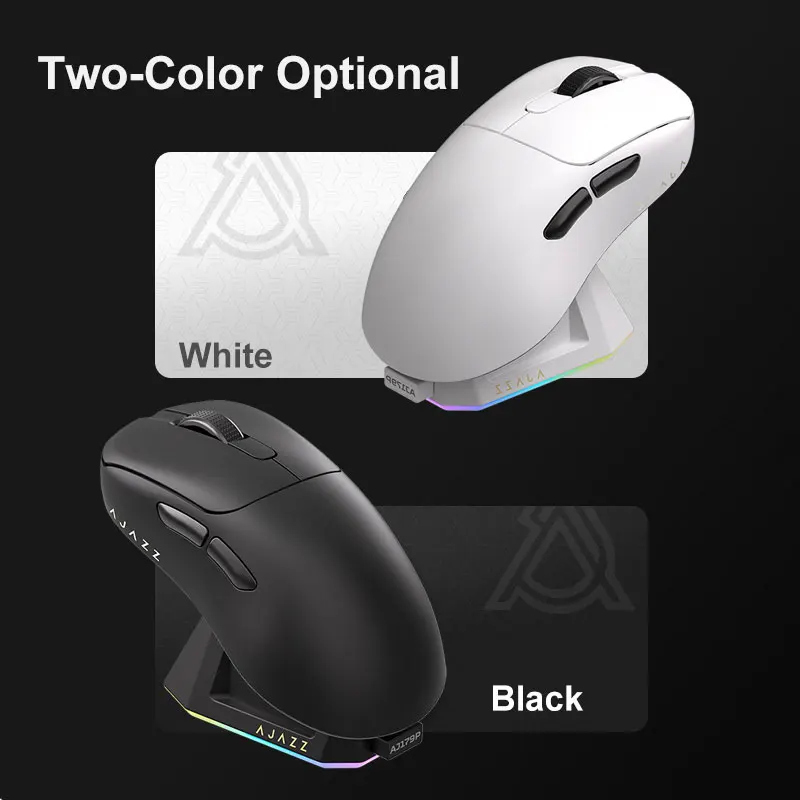
The checked listing still shows a 98.0% rating and almost ten thousand visible sales, which is hard to ignore at this tier. The dock plus PAW3395 spec sheet gives it a more complete desk-upgrade story than the R1.
Best for
Buyers who use the mouse all day, care about desk neatness, and would actually appreciate the charging dock instead of treating it like free clutter.
Main benefit
The magnetic charging base is the part that changes the daily feel. If you hate cable hunting or battery guesswork, it gives the AJ179 Pro a more finished personality.
Downside
The dock only helps if it earns its footprint. On a cramped desk, the extra base can become one more thing to move around rather than the tidy upgrade it looked like in product shots.
What to double-check before ordering
Check your desk space before paying extra for the dock story. If the base ends up off to the side or in a drawer, a lot of the AJ179 Pro pitch disappears with it.
Pros
- Huge visible sales history
- Dock adds a cleaner charging routine
- Higher-tier sensor pitch for the price
Cons
- Extra dock can waste desk space
- Harder to justify if you never dock it
- Still not a silent office mouse
This guide is based on official specs, seller listings, price ranges, and repeated buyer pain points. It is not presented as a hands-on lab test when no hands-on test was done.
Bottom line
Pick the Attack Shark R1 if you want the lower-stress answer and would rather keep spend and desk clutter under control.
Pick the AJAZZ AJ179 Pro if the dock, bigger sales proof, and nicer day-to-day charging routine will actually improve how the desk feels.
If I had to pick one today, I’d pick the R1 for most mixed desks, and I’d move to the AJ179 Pro only when the dock and cleaner charging routine will earn a permanent spot.
Skip it if: Skip both if you are really shopping for a silent office mouse, not a work-and-play crossover.
Does the charging dock automatically make the AJAZZ the better buy?
No. It only helps if the dock stays on the desk and gets used. If it ends up unplugged or hidden away, a big part of the AJAZZ advantage disappears with it.
Which one is easier to recommend to most desks?
The R1 is easier to recommend broadly because the value case is simpler. The AJAZZ becomes the better choice only when the dock and higher-tier spec story line up with the way you actually work.
Check hand size, dock space, sensor specs, switch feel, and whether a cheaper mouse still fixes the actual desk problem.
For AliExpress-style picks, also check seller rating, review count, shipping estimate, plug or cable type, and whether returns are worth the hassle.
FAQ
Is this a hands-on test?
No. This guide is a buying decision brief built from official specs, seller listings, pricing ranges, and repeated buyer pain points. It should be used as a checkout filter, not a lab review.
What should I check before buying?
Check desk width, cable direction, mounting space, brightness needs, and whether the upgrade removes a daily desk problem.
When should I skip both options?
Skip both if your desk problem is posture or chair height rather than the accessory itself.