Inline Watt Meter vs Cable Tester for Charging Problems

A charger problem is not always a charger problem. Sometimes the brick is fine, the cable is weak, the port is dusty, or the device simply refuses the faster profile.
That is why two tiny tools keep showing up in desk and travel pouches: a USB-C power meter and a USB-C cable tester. They sound similar, but they answer different questions.
Quick comparison
| Tool | Best at | Downside |
|---|---|---|
| USB-C power meter | Checking live charging wattage, voltage, and current | It can show what is happening, but not always why the cable is failing |
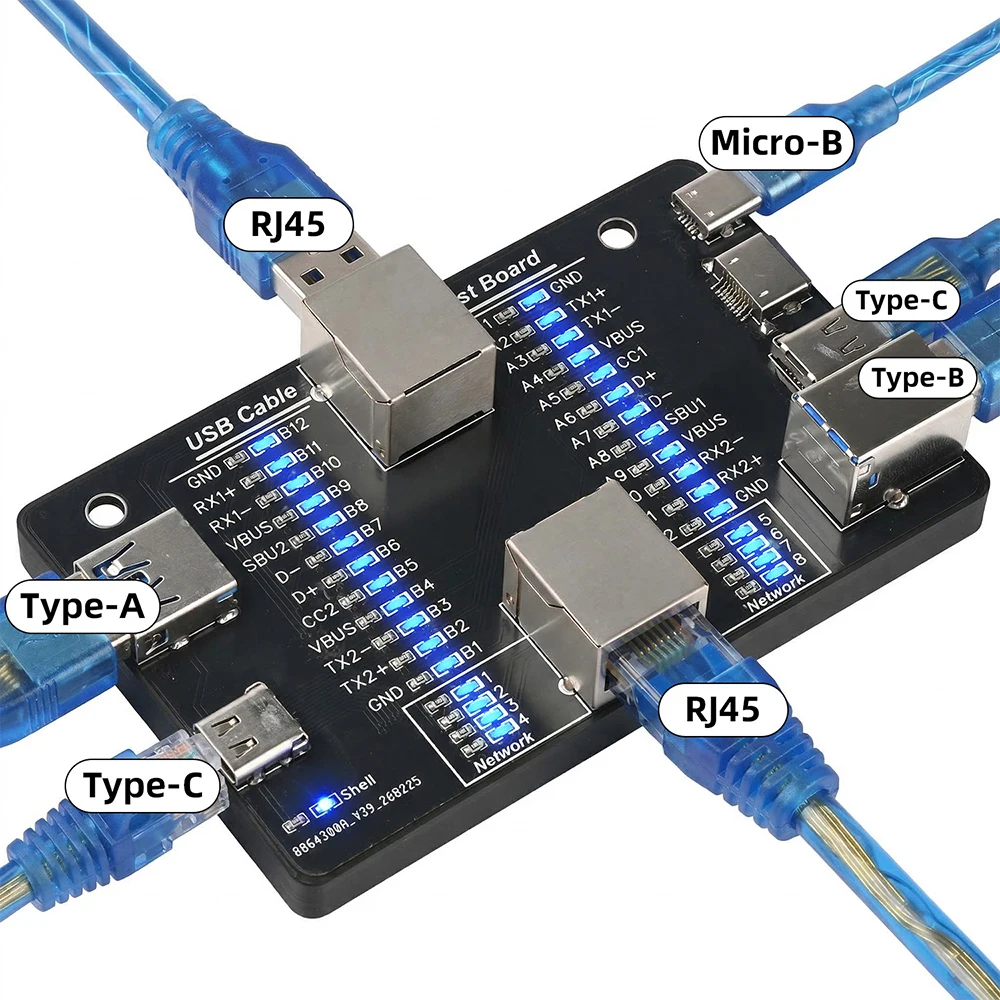
| USB-C cable tester | Checking whether a cable supports the wiring or profile you expected | It is less useful when the charger or device is the real issue |
Who should get which one
Get the power meter if you often test chargers, power banks, laptops, phones, or handhelds. It gives you a fast read on whether the setup is actually pulling the power you expected.
Get the cable tester if your drawer has too many mystery USB-C cables. It is better for sorting which cable belongs with a laptop charger and which one should stay with a keyboard.
Use a simple charging diagnosis order
Start with one device, one charger, and one cable. Then change only one part at a time. A power meter is most useful when you want to see whether the phone, laptop, handheld, or power bank is actually drawing the wattage you expected. If the number changes after swapping only the cable, the cable is probably the weak link.
A cable tester is better when you are sorting a drawer of unknown USB-C cables. Some cables are fine for keyboards and earbuds but not for laptops, monitors, or high-speed data. If the tester shows missing wiring or no clear e-marker support on a cable sold for high power, do not use that cable for expensive devices.
Also remember that charging speed changes with battery percentage, temperature, and device firmware. A low wattage reading is a clue, not a verdict. Test again when the device battery is lower and the device is not already warm.
AliExpress listing checks I would not skip
For an inline meter, check the supported USB-C PD range, display readability, orientation, and whether the listing clearly says it is for measurement rather than permanent installation. I would avoid listings that lead with extreme wattage claims but do not show the actual display, ports, or supported protocols.
For a cable tester, check whether it tests the type of cable you own: USB-C to USB-C, USB-A to USB-C, Lightning, or multi-head cables. A tester that only lights basic continuity pins may still be useful, but it is not the same as a more detailed tester for data lanes and e-marker behavior.
Pick #1: USB-C power meter
This is the more useful first buy for most desks. My pick would be the power meter if the problem is random slow charging, a suspicious power bank, or a laptop charger that does not behave the same every day.
The downside is interpretation. A low reading can come from the charger, the cable, the device, or the charging state. You still need to swap one part at a time.
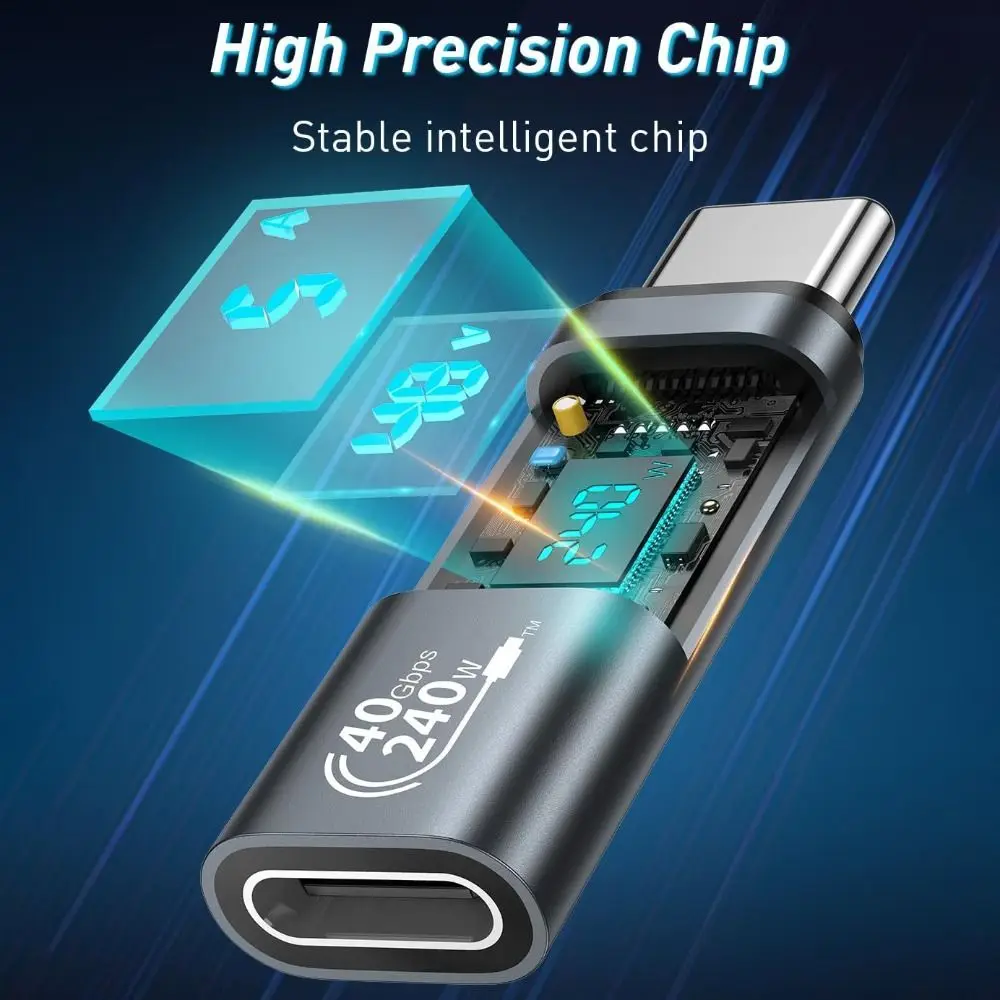
Listing check: product image, seller page activity, order count, and rating information were checked before this update.
Pick #2: USB-C cable tester
This is the better tool when the cable drawer is the mess. It helps separate charging-only cables from cables you trust with a laptop, dock, or portable monitor.
The downside is narrower use. Once your cables are sorted, it may not come out often unless you buy or test cables regularly.
Listing check: product image, seller page activity, order count, and rating information were checked before this update.
Last checked: 2026-05-06. Product links, images, store signals, CTA buttons, and affiliate disclosure were reviewed before publishing.